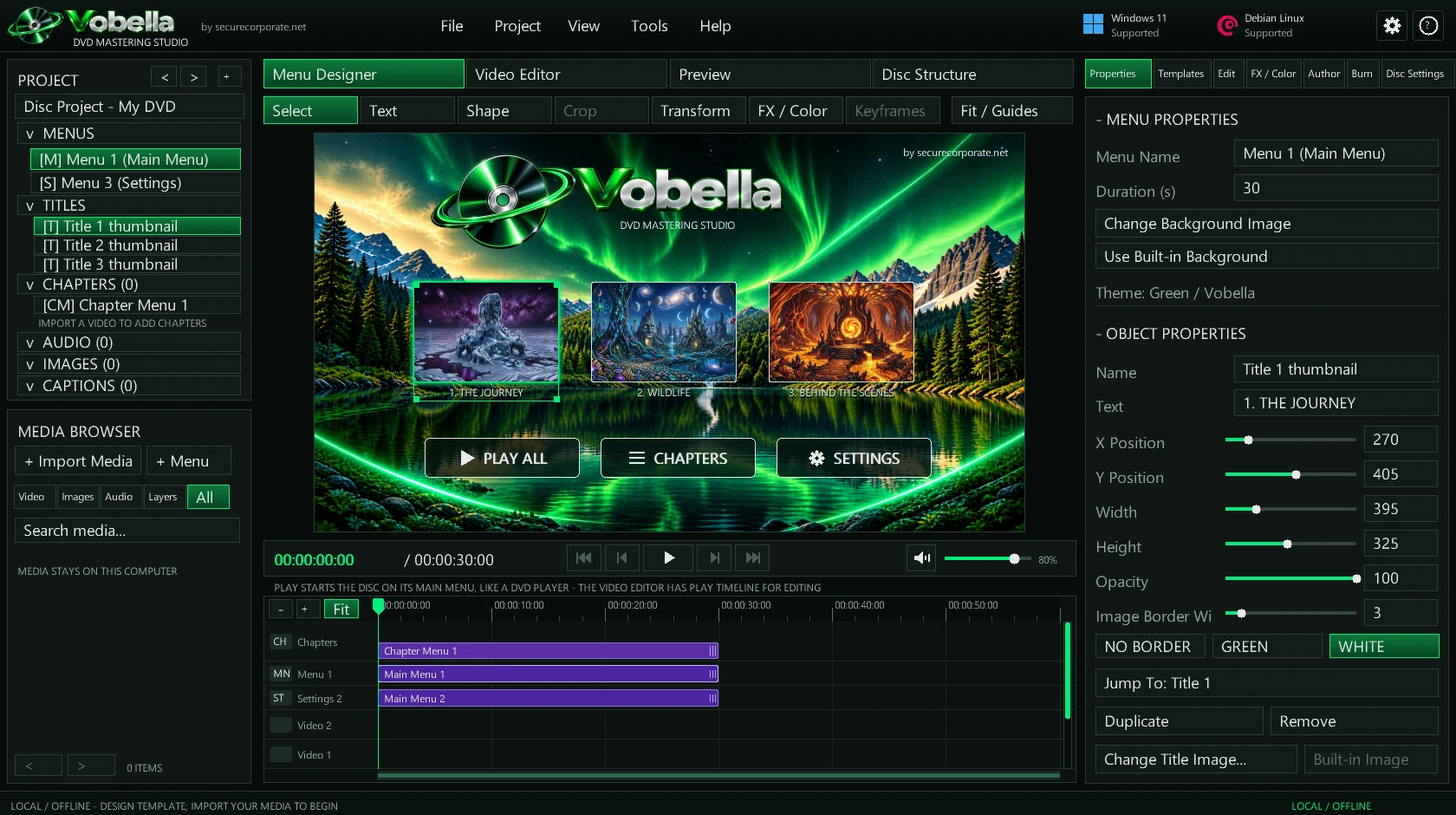
Vobella is a DVD mastering studio. Design the menus, set the chapters and captions, then author a disc that plays in an ordinary DVD player or games console, and burn it. Written in Rust from the ground up. It makes no network requests and has no account, and your footage never leaves your computer. The 0.1.0 alpha is out for Windows, and the source code is on GitHub.
The release that made Vobella's discs behave like the ones you buy.
Discs from earlier builds could freeze a player while scanning, PS4 and PS5 included. The navigation data players follow now matches what dvdauthor (the engine behind DVDStyler) writes for the same video, field by field.
Vobella reads every navigation pack back and plays every title and menu through libdvdnav. An image that fails is deleted, never offered for burning, and an image from an earlier build is refused until you build it again.
Top Menu returns to the main menu from anywhere, and Resume continues the film. DVD-Video discs are always finalized, so players and consoles accept them.
FFmpeg, included in the download, encodes the video. Everything else is Vobella's own: the menus, the disc's navigation and information files, the ISO image, and the disc writer that records it.
Start from a template or your own background picture. Arrange title cards, text and buttons, and add chapter menus and a Settings menu with audio and subtitle switches. Disc Preview lets you click through it as a player would.
Import videos one at a time or a whole TV series folder. Add chapters at the playhead, at a time, or every few minutes, up to 99 per title. Each chapter starts on its exact frame on the disc.
SubRip and WebVTT captions become real DVD subtitles that the player's subtitle button turns on. Music can loop under one menu, or under the main and chapter menus alike.
NTSC or PAL, 16:9 or 4:3, DVD-5 or DVD-9. Vobella picks the video bitrate that fills the disc you chose and shows the estimated size before it starts.
One button runs Preflight, Encode, Author, Master and Check in the background, with progress, time remaining and a log. The window stays responsive, and a cancelled build leaves no partial file.
Vobella finds your recorder and the disc in it, uses the right write strategy for that disc, and reads every sector back to compare it with the image. Test writes, quick erase of rewritable discs, and a confirmation that names the exact drive and disc first.
Vobella's code is public at github.com/Danny-V-Hampton/Vobella. You don't have to take our word for "no network, no account": read it, build it yourself, and compare.
The whole application in src/: the interface, the renderer, the DVD-Video authoring, the ISO mastering and the disc recorder. Also the design documents in Docs/, the artwork in assets/, and the build scripts.
There are no third-party Rust libraries: everything is written on Rust's standard library and the operating system's own interfaces. FFmpeg is the one outside program, and Vobella runs it rather than linking it in.
You need Rust 1.95 or newer with the x86_64-pc-windows-gnu target and a MinGW-w64 linker. No Visual Studio, and the build works offline.
git clone https://github.com/Danny-V-Hampton/Vobella cd Vobella ./scripts/build-windows.ps1For Debian there is sh scripts/build-debian.sh, which builds the X11 version. It has only been checked from Windows so far, not built and run on a Debian desktop, which is why there is no Debian download.
No network requests, no account, no telemetry. Your videos are opened read-only and never copied or changed. A project file is not encrypted, and it records where your media is on your computer. A finished DVD is not a secret either: anyone holding the disc can play it. What Vobella keeps private is the making of it.