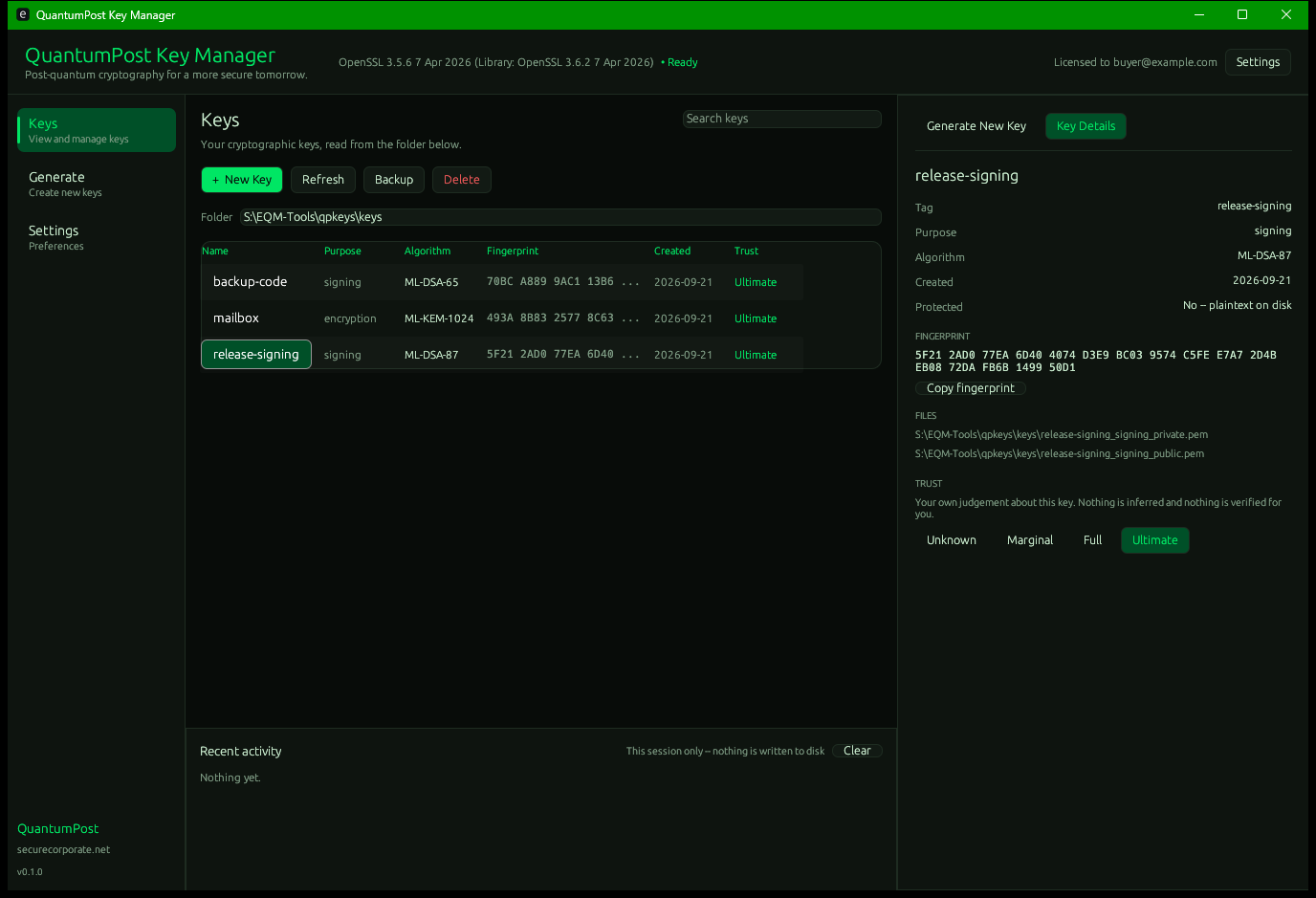
The key generation underneath QuantumPost, offered as a standalone tool. ML-DSA for signing, ML-KEM for encryption — the same algorithms and OpenSSL. Planned as a desktop application and a command-line tool, both in the box. Planned; not released yet.
Nobody arrives wanting an "ML-DSA-87 keypair". They arrive wanting to sign something, or to receive something only they can open. So that is the question it asks, and the algorithm follows from the answer.
$ qpkeys gen Generating a signing key (NIST level 5 -- the strongest FIPS 204 defines)... Done -- ml-dsa-87 Private ./keys/default_signing_private.pem Public ./keys/default_signing_public.pem The private file is the one that matters. Nobody can recover it for you, including us -- back it up somewhere only you can reach.No flags to learn for the common case. Run it with no arguments at all and it walks you through instead — which is the case that matters when somebody has just installed a tool and does not yet know what to type. The window asks the same questions in the same words, and calls the same code to answer them: the two cannot disagree about what a key is, because there is only one implementation to disagree with.
ML-DSA-87 or ML-DSA-65 (FIPS 204). For certificates, server identities and anything that has to prove who wrote it.
ML-KEM-1024 or ML-KEM-768 (FIPS 203). For receiving data only you can open.
Written by OpenSSL, readable by everything that reads OpenSSL. Nothing proprietary, nothing locked to us.
An ML-DSA signature over any file, written beside it. It is a plain FIPS 204 signature, so anyone can check it with OpenSSL alone, without this tool.
ML-KEM agrees a secret with the key's holder and AES-256-GCM seals the file. The format is two paragraphs long and published, so it can be reimplemented.
Lock a key file to a FIDO2 security key (YubiKey 5, Nitrokey 3, SoloKey, Titan), a PIV smart card or a USB drive, alone or with a passphrase. Copied anywhere, the file stays shut without the device.
The same accounting we give for everything else. These are deliberate, not missing.
Generating over an existing private key destroys every signature and certificate that depended on it, with no undo and often no immediate symptom. So it stops and makes you choose a different name instead.
There is no escrow, no backup service, no reset. If you lose a private key it is gone. That is the property the tool is designed to provide; it would not be worth much if we kept a copy.
That is where ML-DSA and ML-KEM support landed. A copy ships alongside it, so there is nothing to install — and qpkeys check tells you where you stand.
No telemetry is planned, and no activation server that can be down or go away. Your website account is only where the product key comes from; the program itself never contacts it, and is designed to work with the network switched off.
Private keys do not expire — certificates do. You can set a date to remind yourself to rotate one, and it is shown as a reminder with nothing depending on it. Refusing to use your key past a date we invented would lock you out of your own key by our own rule.
No security key or smart card can hold an ML-DSA or ML-KEM key yet. So a hardware key locks the key file rather than holding the key, and each kind says what it cannot do: a security key's lock is symmetric and quantum-safe; a smart card's is classical elliptic-curve cryptography, so add a passphrase; a USB drive's key file can be copied by whoever holds the drive.
The Key Manager costs nothing. Its product key comes with a website account: a username, a password and an authenticator app such as Aegis. No email address and no payment. The app itself is not released yet.
Create an account or sign inSign in, and on your account page choose Get my product key. The key is made right then and sent only to you, over the same post-quantum HTTPS as the rest of the site. We keep no copy and no record that you asked, and the key doesn't name you.
Paste it into the Key Manager when it asks, or save it as a file. It is checked on your computer and never sent back to us, so it keeps working offline, forever, and even if your website account is later closed.